
The Real Cost (and Savings) of Moving to Cloud AMS
August 4, 2026 - 8:47:19 am
Quick Summary: The real cost of switching to cloud auction software is mostly upfront — a migration project, staff training, and a short parallel-running period. An aging on-premise AMS, by contrast, keeps charging you every month it stays in place: hardware refreshes, IT hours, and downtime risk on sale day. Run the full total cost of ownership, and most independent auctions come out ahead within a year or two of making the switch.
What Legacy Auction Software Actually Costs You Every Month
Most operators budget for the license or server bill and stop there. That's the smallest line item. The real number is the Total Cost of Ownership (TCO) — every dollar a system costs across its lifespan, not just its sticker price.
On-premise auction software is a CAPEX (capital expenditure) purchase: you buy the servers, house them, cool them, and eventually replace them on a 3–5 year cycle. Layered on top is the ongoing OPEX (operating expenditure) — IT staff hours for patching and maintenance, backup infrastructure, and the labor cost of manual data entry that a disconnected legacy system forces on your clerking team. Independent TCO research comparing on-premise and cloud software consistently finds the same pattern: a system that looks cost-competitive in year one often runs 30–50% more expensive by year five, once infrastructure, IT labor, and downtime are counted in full.
That downtime line matters more at an auction than almost anywhere else. A server failure that would be an inconvenience in a back office becomes a stalled lane, a missed bid, and an arbitration dispute when it happens mid-sale.
Cloud AMS vs. On-Premise AMS: The Real Line-Item Comparison
| Cost Category | On-Premise Legacy AMS | True-Cloud AMS |
|---|---|---|
| Upfront cost | Large CAPEX purchase (servers, networking) | Minimal — subscription-based OPEX |
| Ongoing IT labor | Dedicated staff/contractor for patching, backups | Handled by the platform provider |
| Hardware refresh | Every 3–5 years, full cost again | None — infrastructure is the vendor's responsibility |
| Uptime on sale day | Dependent on local hardware and power | Built for high-availability, high-traffic sale windows |
| Scaling for a big sale | Limited by on-site server capacity | Scales automatically with traffic |
| Disaster recovery | Requires separate backup investment | Built into the cloud infrastructure |
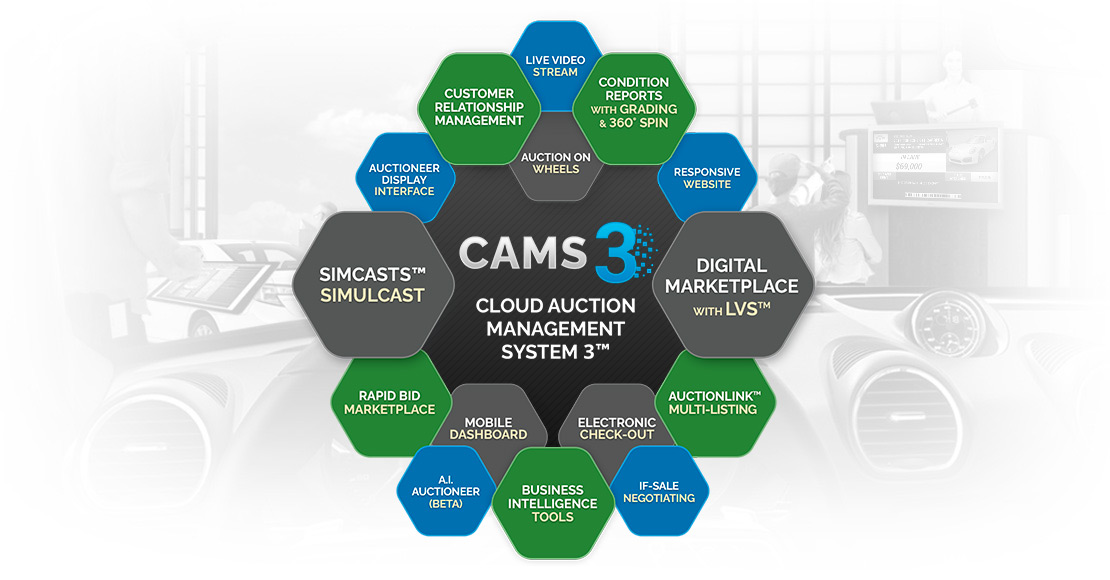
A platform like CAMS3™ is built as true-cloud from the ground up, rather than a legacy system with a cloud layer bolted on — which is the difference that shows up in that uptime and scaling row when a sale day traffic spike actually hits.
What a Cloud Migration Actually Costs and Takes
The upfront side of switching is real, but it's a project with a defined end, not a permanent cost.
Step 1: Site Survey and Data Audit
A technology partner reviews your current setup — inventory records, consignor data, run-list history — and scopes what needs to move.
Step 2: Data Migration and Mapping
Historical bid data, titles, and consignor records get mapped into the new system's structure. This is the step worth vetting a provider on closely, since a mishandled migration is the single biggest source of switching anxiety.
Step 3: Staff Training and Parallel Testing
Clerking and lane staff train on the new system, often running it alongside the legacy platform for a sale or two before fully cutting over.
Step 4: Go-Live and Cutover
The legacy system is retired and the cloud AMS takes over live sale operations.
Auction Streaming has publicly stated deployment timelines of roughly four weeks from signing — a useful benchmark when you're budgeting how long your own transition might realistically take.
Where the Real Savings Show Up After You Switch
The savings aren't just the avoided hardware bill. Once on-premise servers are gone, so is the staff time spent babysitting them — freeing up IT hours for things that actually grow the business instead of keeping the lights on. A cloud infrastructure built for speed, security, and scalability also means fewer stalled lanes on your highest-volume sale days, which is where an auction actually loses money when a legacy system buckles. Reduced manual data entry cuts the clerking errors that turn into arbitration disputes — a cost that rarely shows up on anyone's TCO spreadsheet but eats into margin all the same.
Why This Math Matters Even More for Independent, Dealer-Only Auctions
Corporate remarketing chains can absorb a bad server year with a dedicated IT department and a deep balance sheet. Independent, dealer-only auctions usually can't. For these operators, the CAPEX-to-OPEX shift isn't just a cost optimization — it's what lets a smaller shop run the same uptime and scale as a national chain without hiring the IT staff to match. If you're mid-evaluation, it's worth reviewing what to actually look for when comparing auction software before committing to a provider.
Frequently Asked Questions
How long does it take to switch to a cloud AMS?
Timelines vary by provider and data complexity, but a 4-week window is a reasonable benchmark to budget against.
Will switching to cloud auction software cause downtime during a sale?
A well-run migration uses parallel testing before full cutover specifically to avoid this — the legacy system stays live as a fallback until the new one is proven on a real sale.
Is a true-cloud AMS actually cheaper than on-premise software over time?
In most TCO comparisons, yes — once hardware refresh cycles, IT labor, and downtime risk are counted, the ongoing cost of an on-premise system tends to overtake the subscription cost of a cloud platform well before the five-year mark.
What happens to our historical auction data during migration?
Your data — run lists, titles, consignor and bid history — gets mapped and migrated into the new system during the data migration step, which is why vetting a provider's migration process specifically is worth the extra diligence upfront.
Deciding If Now Is the Time to Switch
The cost of switching to cloud auction software is a real, one-time number you can budget for. The cost of not switching is a slow, compounding one — hardware you keep patching, staff hours you keep spending, and downtime risk you keep carrying every sale day a legacy system stays in place. Contact Auction Streaming to get a site survey scoped for your operation.